1. The "What the hell is going on?" commands
When you’re first spinning things up, stuff breaks. Constantly.
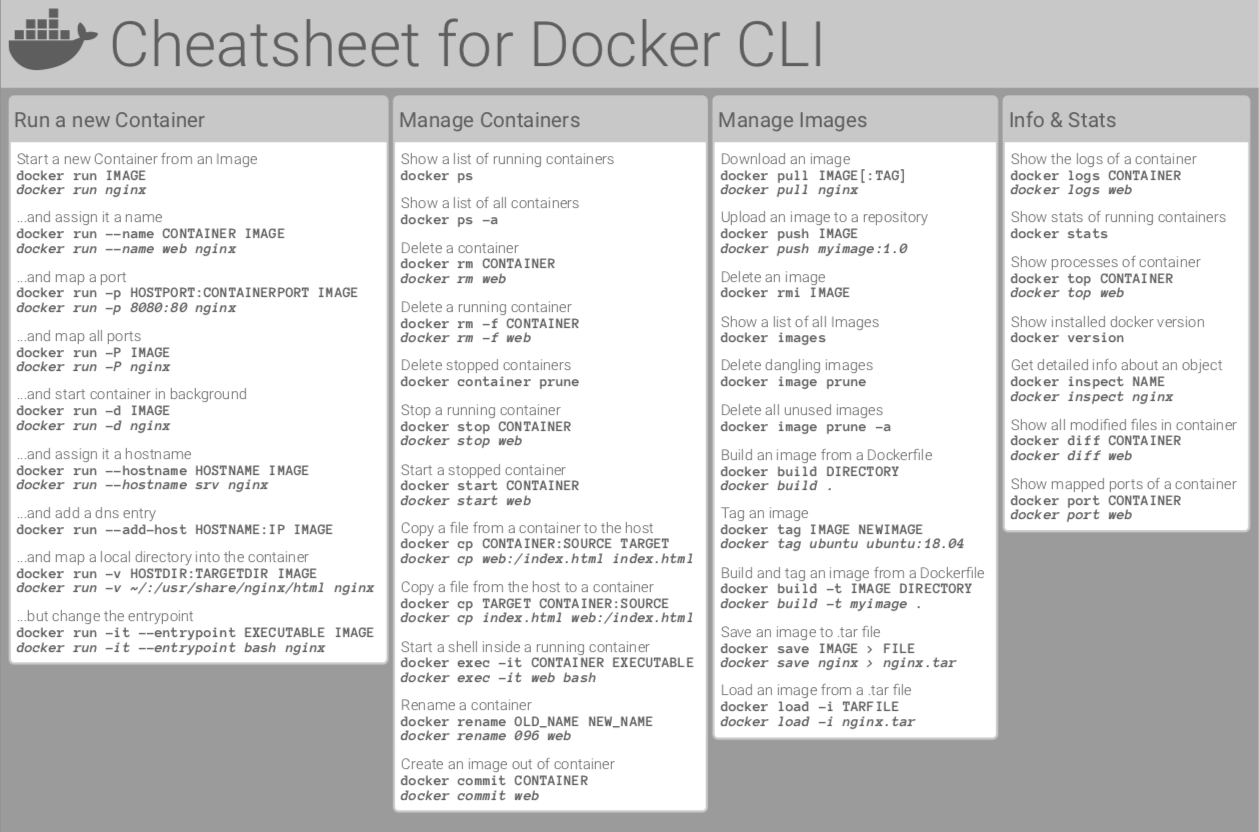
docker ps -aStop using just
docker ps. If your container crashes immediately,pswon't show it. Use-ato see the "Exited" status so you can at least see that it exists.docker logs -f <name>This is my most used command. The
-ffollows the logs live. If I’m setting up a new service, I keep a separate terminal window open just for this.docker exec -it <name> bashIf a config file isn't mounting right or a path feels off, I stop guessing. I just hop inside the container and look around the filesystem myself.
2. The Permission Nightmare (UID 65532)
This one took me way too long to figure out. I was trying to get Cloudflare Tunnels running, and it kept failing with "permission denied" on the cert files.
The thing is, many "pro" containers don't run as root for security. They use a non-root user (usually UID 65532). If your host folder is owned by you, the container can't read it.
The fix that actually worked:
# Giving the specific non-root user ownership of my config folder
sudo chown -R 65532:65532 ~/.cloudflared
If a container fails silently, check the permissions first. It's almost always the culprit.
3. Networking is not what you think
In the beginning, I tried to make my Cloudflare container talk to Jellyfin using localhost:8096. Big mistake.
Inside a Docker container, localhost just means "this specific box." It doesn't know about your other containers. To fix this, I had to stop using IPs and start using a dedicated bridge network.
docker network create proxy
Once everything is on the same network, they can just talk to each other by their container names. Much cleaner. No more chasing dynamic IP addresses.
4. Mounting: "If it’s not there, it’s not there"
I used to get confused between host paths and container paths. Now I just think of it as a portal.
For my Jellyfin setup, I have my huge 500GB HDD mounted at /srv/storage/media on my Ubuntu server. But inside the container, I map it to /media.
- Host Path:
/srv/storage/media(The physical disk) - Container Path:
/media(The "portal" the app sees)
Jellyfin doesn't even know my HDD exists; it just thinks there's a folder called /media with a bunch of movies in it.
5. Cleaning up the mess
Docker eats disk space like crazy if you're not careful. Every time I mess up a build or try a new image, it leaves "junk" behind. About once a week, I run a cleanup.
| Command | What it does |
|---|---|
docker system prune |
Nukes stopped containers and old networks. |
docker image prune |
Cleans up dangling images from failed builds. |
docker system df |
The "Reality Check" to see where the GBs went. |
The Bottom Line
Building a homelab isn't about knowing every single Docker flag. It’s about building a mental model of how these isolated boxes talk to each other.
[!TIP] Conclusion: Fewer moving parts = higher reliability. Keep your
docker-compose.ymlclean and your paths explicit.
COMMENTS_ARCHIVE
Loading archive...